

Portfolios
PORTFOLIO VIEW
The Portfolios function in Endura allows you to create and manage groups of connected organisations, providing an aggregated view of sustainability performance across multiple entities. Portfolios are typically used to group holding companies or related organisations, enabling you to monitor combined sustainability data, track performance trends, and gain broader insights at a portfolio level rather than viewing each organisation individually.
By consolidating sustainability information across multiple entities, Portfolios help you assess overall performance, identify opportunities for improvement, and make more informed sustainability decisions across your organisation or group structure.
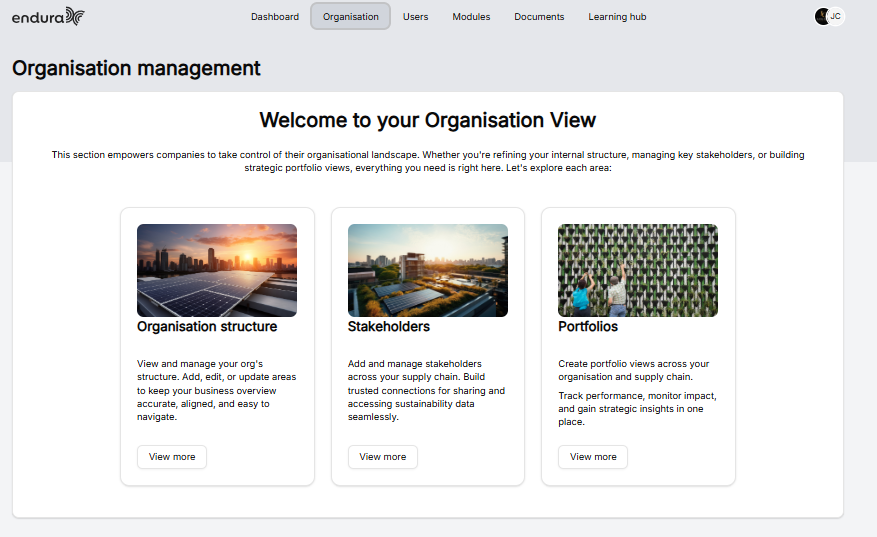
- Under the Organisations tab, select Portfolios.
- Then click on View More.
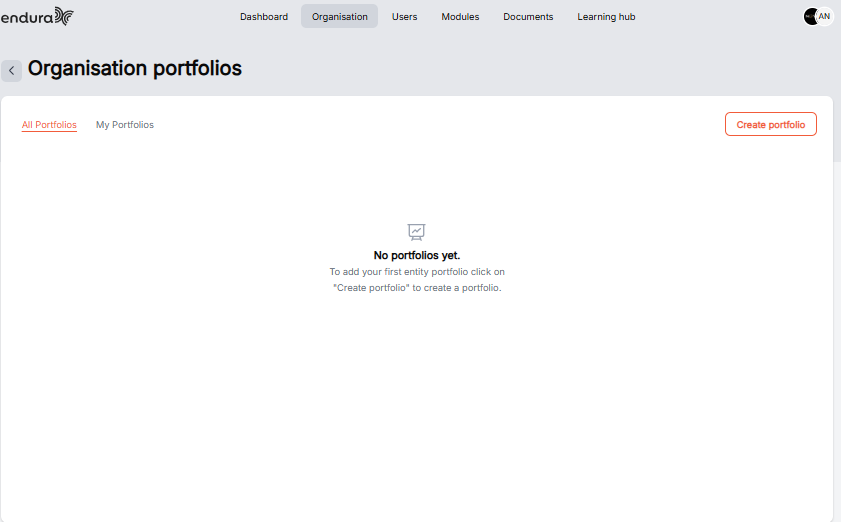
- Click create to create a Portfolio
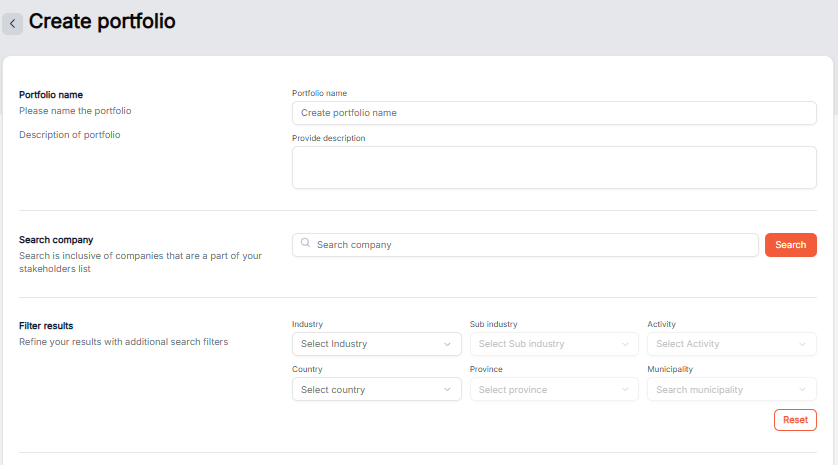
- Then complete the portfolio registration by entering a Portfolio Name and a brief description. The description should clearly explain the purpose of the portfolio and the group of organisations whose sustainability performance will be tracked collectively.
Search Company
The Search Company field allows you to quickly find organisations that are already part of your stakeholder network.
The Search Company field allows you to quickly find organisations that are already part of your stakeholder network.
- Enter the organisation name in the search bar.
- Click Search to display matching results.
- Only organisations that exist within your stakeholder list can be selected for a portfolio.
Filter Results
Use the filter section to refine the list of organisations and locate specific entities more easily.
Available filters include:
- Industry - Filter organisations by industry sector.
- Sub Industry - Narrow results to a specific sub-industry.
- Activity - Search based on the organisation's primary business activity.
- Country - Filter organisations by country.
- Province - Refine results by province or region.
- Municipality - Filter organisations by municipality.
If you need to remove all applied filters, click Reset.
My Stakeholders
The My Stakeholders table displays all organisations that match your search criteria and are available to be added to the portfolio. The table provides the following information for each organisation:
- Company - The organisation's name.
- Relationship - The relationship type established with your organisation.
- Industry - The organisation's industry sector.
- Sub Industry - The organisation's sub-industry classification.
- Activity - The organisation's primary business activity.
- Province - The province in which the organisation operates.
- Municipality - The municipality associated with the organisation.
To add organisations to the portfolio:
- Select the checkbox next to each organisation you want to include.
- Alternatively, use Select All to select all organisations displayed in the current results.
- The counter above the table will update to show the number of organisations selected. Creating the Portfolio
Once you have selected all relevant organisations:
- Click Create Portfolio to add the selected organisations to the portfolio.
- Endura will then group the selected organisations, allowing you to view and analyse their combined sustainability performance at a portfolio level.
Tip: Portfolios are most effective when grouping related organisations, such as holding companies, subsidiaries, divisions, or organisations that you would like to assess collectively. This enables a consolidated view of sustainability performance across the entire portfolio.